Set up your Backup Drive
Video: Managing Backup Drives — including swapping to a new drive when the old one is full
Your backup drive needs to be connected to your Mac.
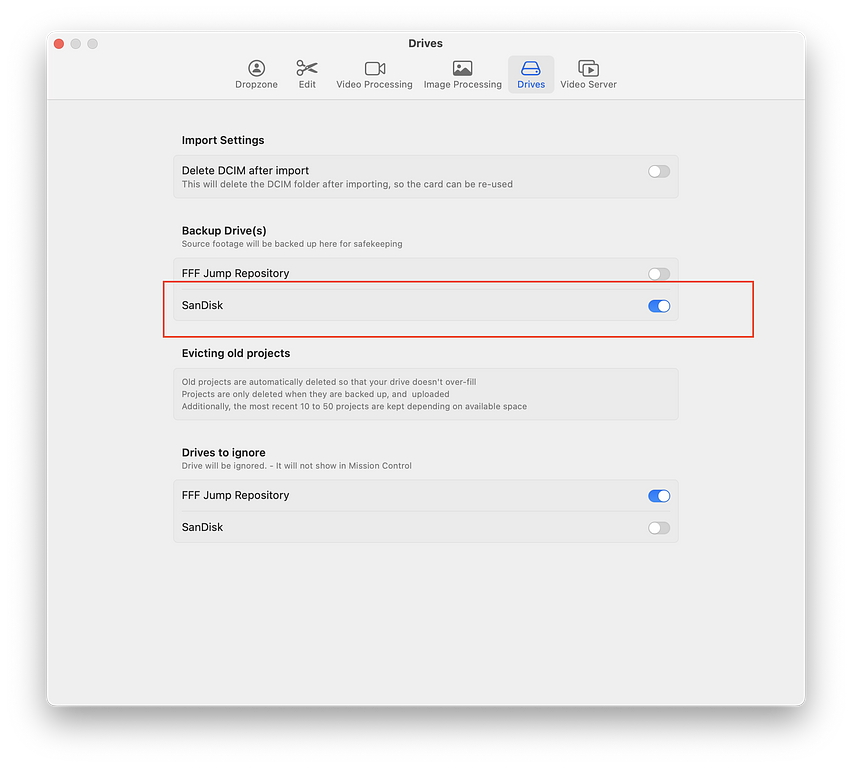
1) Click on 'Settings' from Mission Control
2) Click on 'Drives'
3) Select the relevant drive as a Backup Drive
## Read Only Drive Error...
Your drive needs to be in a format that the Mac can write to. Often, new drives are formatted for Windows and are read-only on Mac.
To fix this, use Disk Utility
- Open the Finder
- Click on Applications
- Open the 'Utilities' Folder
- Double click on 'Disk Utility'
Now select the drive you want to format (Carefully!)
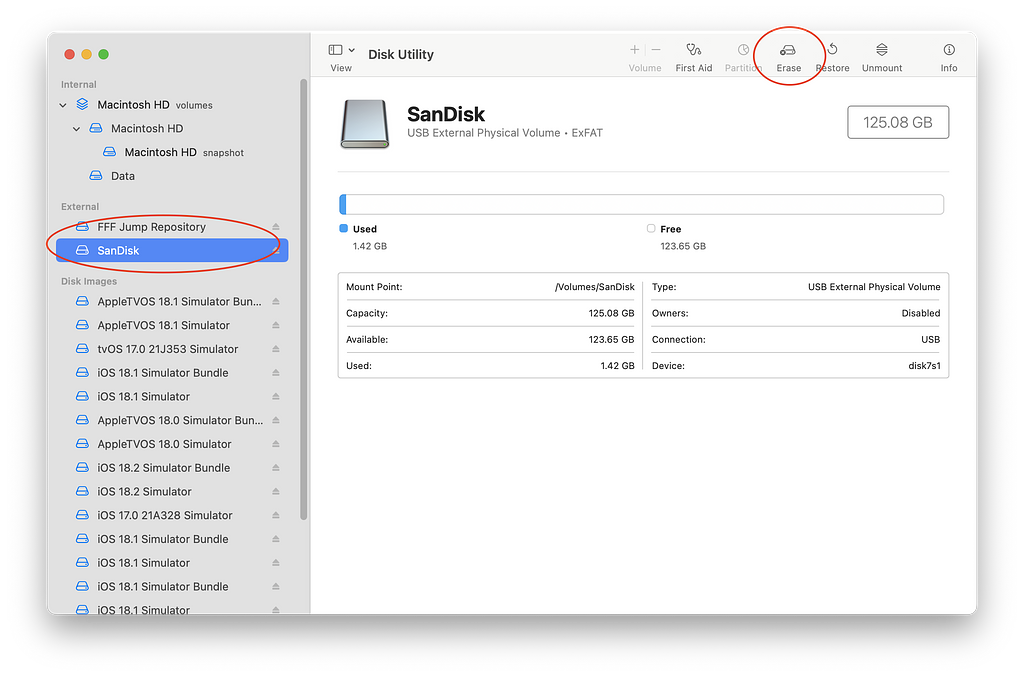 Click 'Erase' in the menu
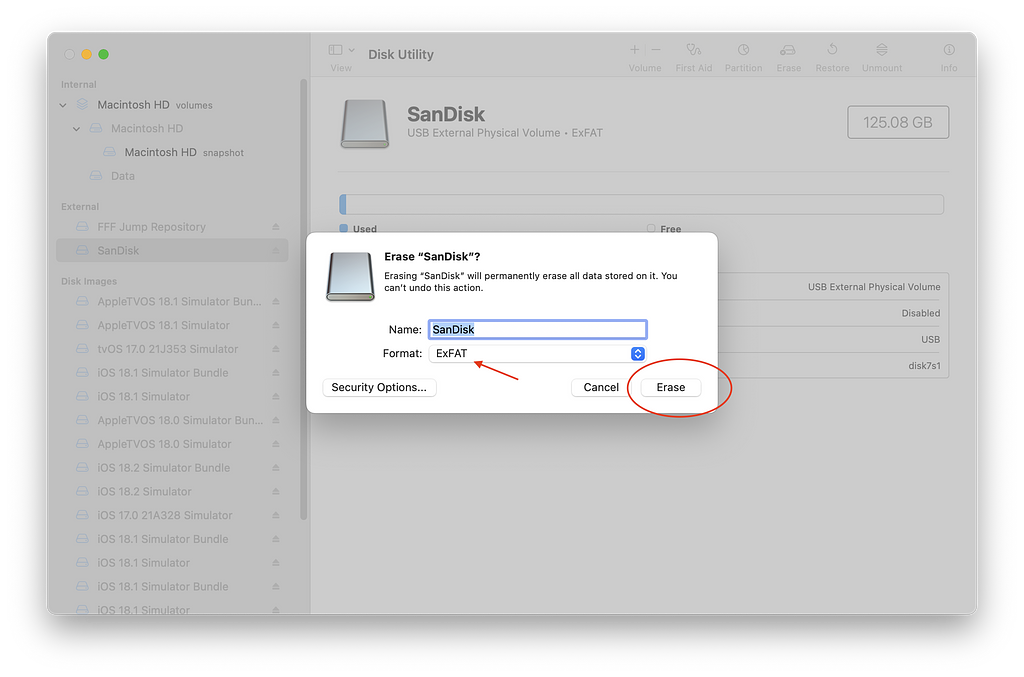
Pick the format to use (ExFat is a good cross-platform option, APFS is good if you only want your drive to work with Apple products)
Click 'Erase'
 Finally - select this drive as a backup drive in FreeFallFilms. (see above)