Configuring the Mac
Helpful settings and setup to keep things simple...
These settings are all optional.
They are some suggestions to keep the mac simple to use in a live environment.
1) Remove unnecessary apps from the dock
(The 'Dock' is the bar at the bottom of the screen where you can see your active apps on Mac)
You can remove all the unnecessary apps from the dock by dragging them all the way to the top of the screen.
Play the video for my suggestions...
How to remove apps from the dock
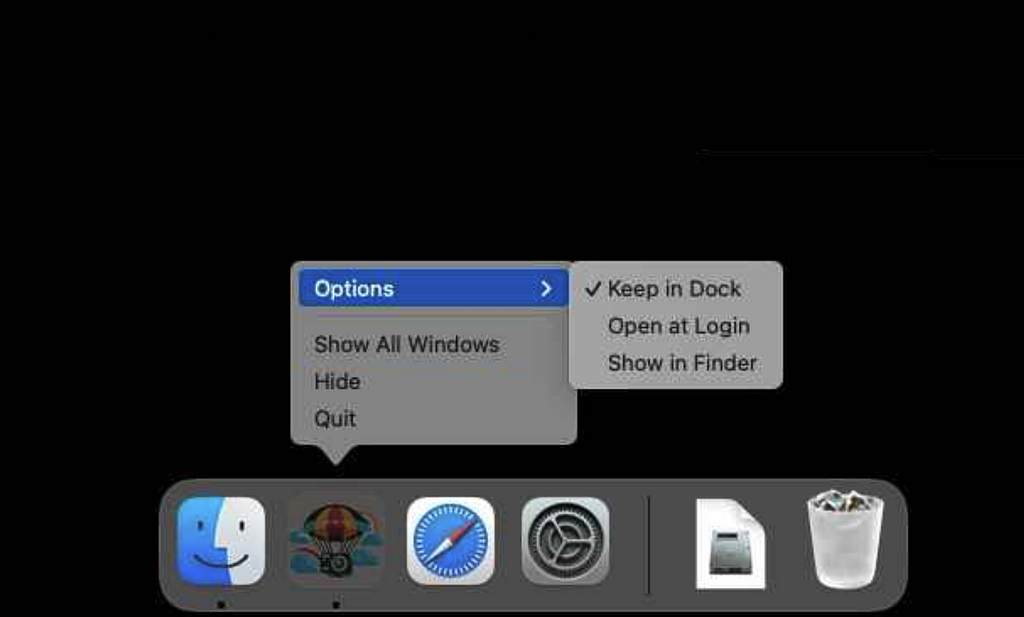
2) Make sure FreeFallFilms stays in the dock
Launch FreeFallFilms (if it is not open, double-click on it in the Applications folder)
Right click on the FreeFallFilms icon in the dock
(If you don't have a right click button, hold the 'Ctrl/Control' key and click with the mouse)
Select Options / Keep in Dock
3) Configure power settings
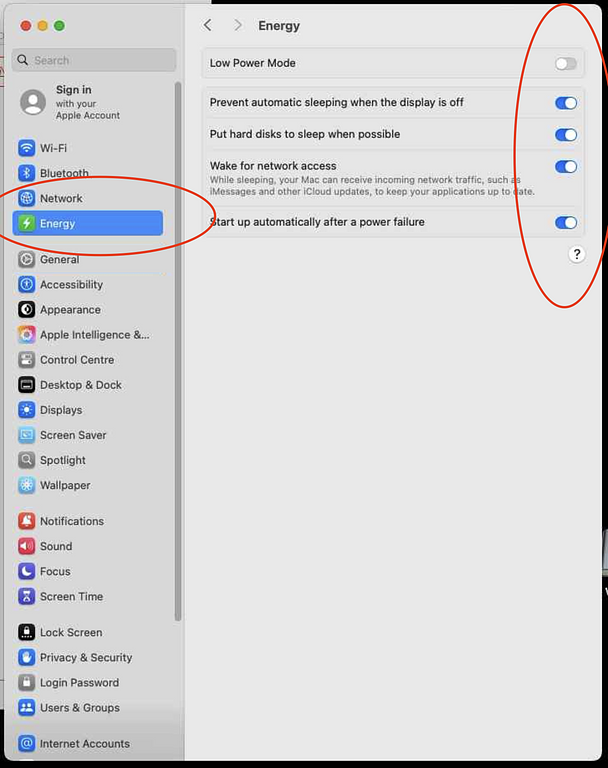
We want the mac to stay awake all the time as it provides the videos for the Apple TV.
Launch the system settings (the silver cogs icon)

Go to the Energy tab
Copy these settings
 4) Configure lock/sleep behaviour
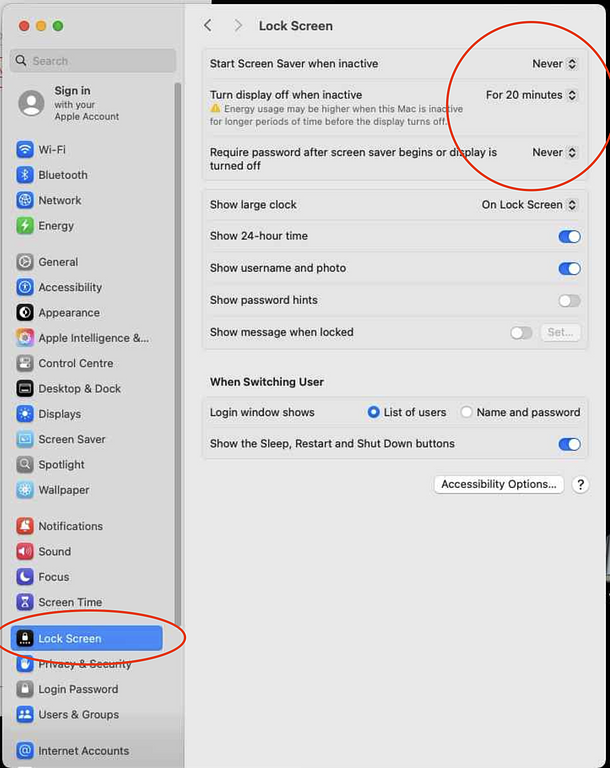
My preference is that the Mac never locks. This means that users don't need to enter a password to wake it from sleep.
Open the Lock Screen tab
(You may have to scroll down on the options in the left pane to find this)
Copy the settings below.
You will have to provide your mac's password to confirm the changes.
These will let the screen sleep after 20 minutes of not being used - but it will wake up without requiring a password.