Installing the Edit App
How to download and install the edit application
Open Safari (just click on the Safari icon at the bottom of the screen) and go to:
https://freefallfilms.com/apps/mac
The Edit App will start downloading.
NB: Please download with Safari. (Chrome currently has a bug with zipped app downloads)
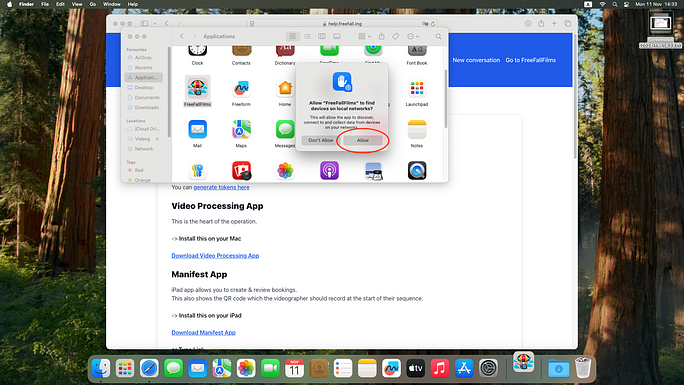
Attachment options…
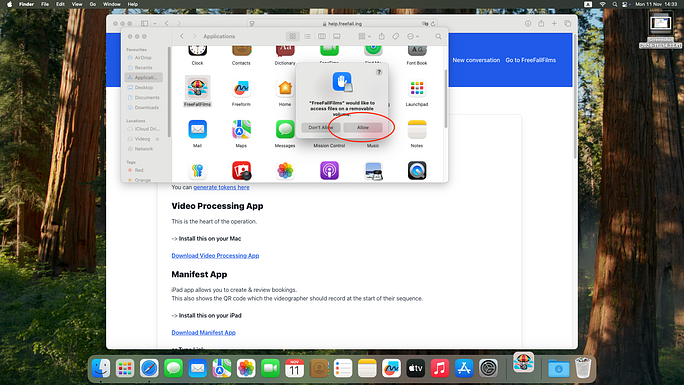
You should see something like this:
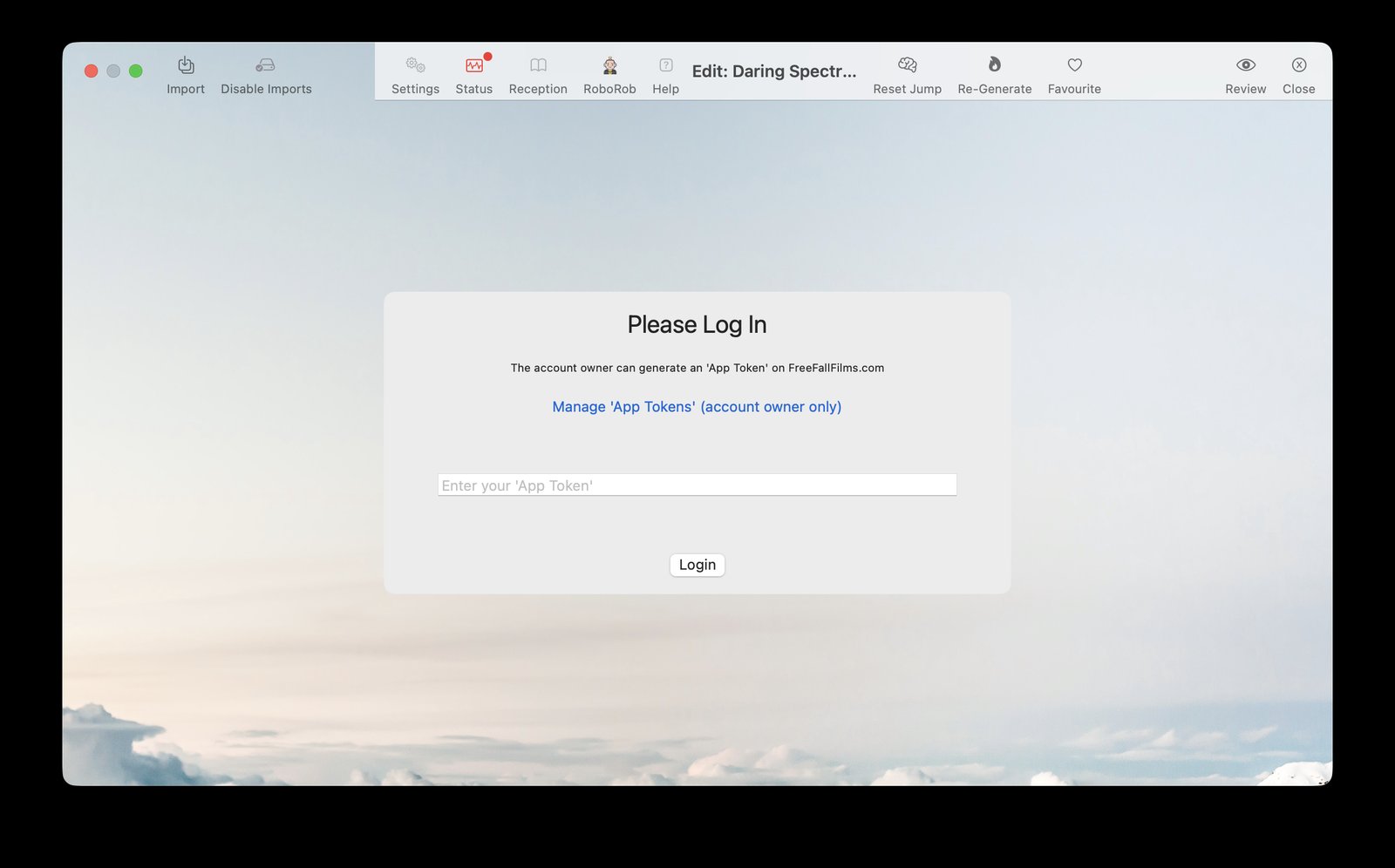
You need an 'App Token' to log in
An 'App Token' is like a password - but it is used to let various apps access your account.
To get an App Token, go to:
https://freefallfilms.com/login_tokens
(open this in a new tab, and log in with your FreeFallFilms admin account if asked)
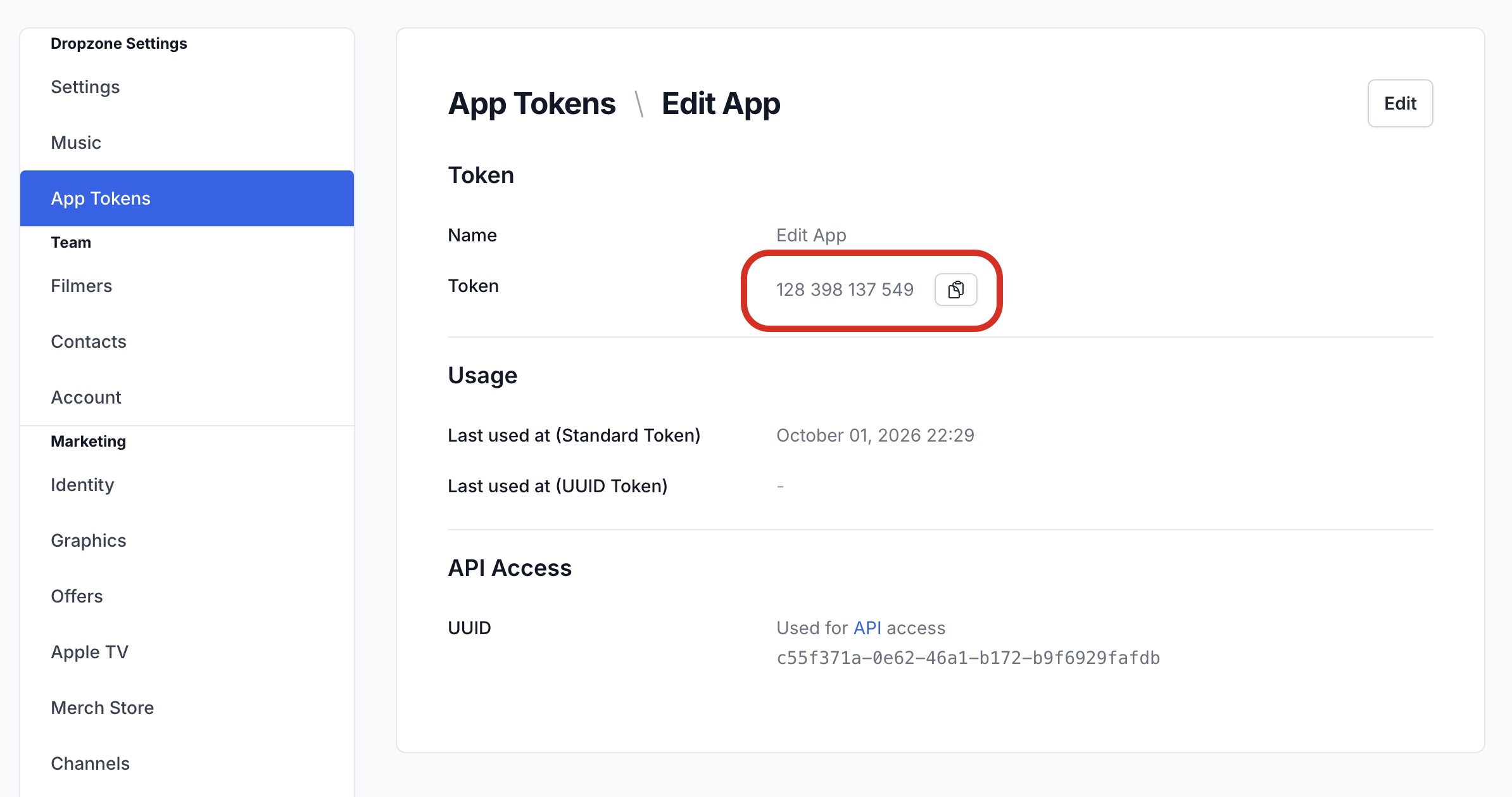
Click View next to the Edit App token, or create one with New App Token.
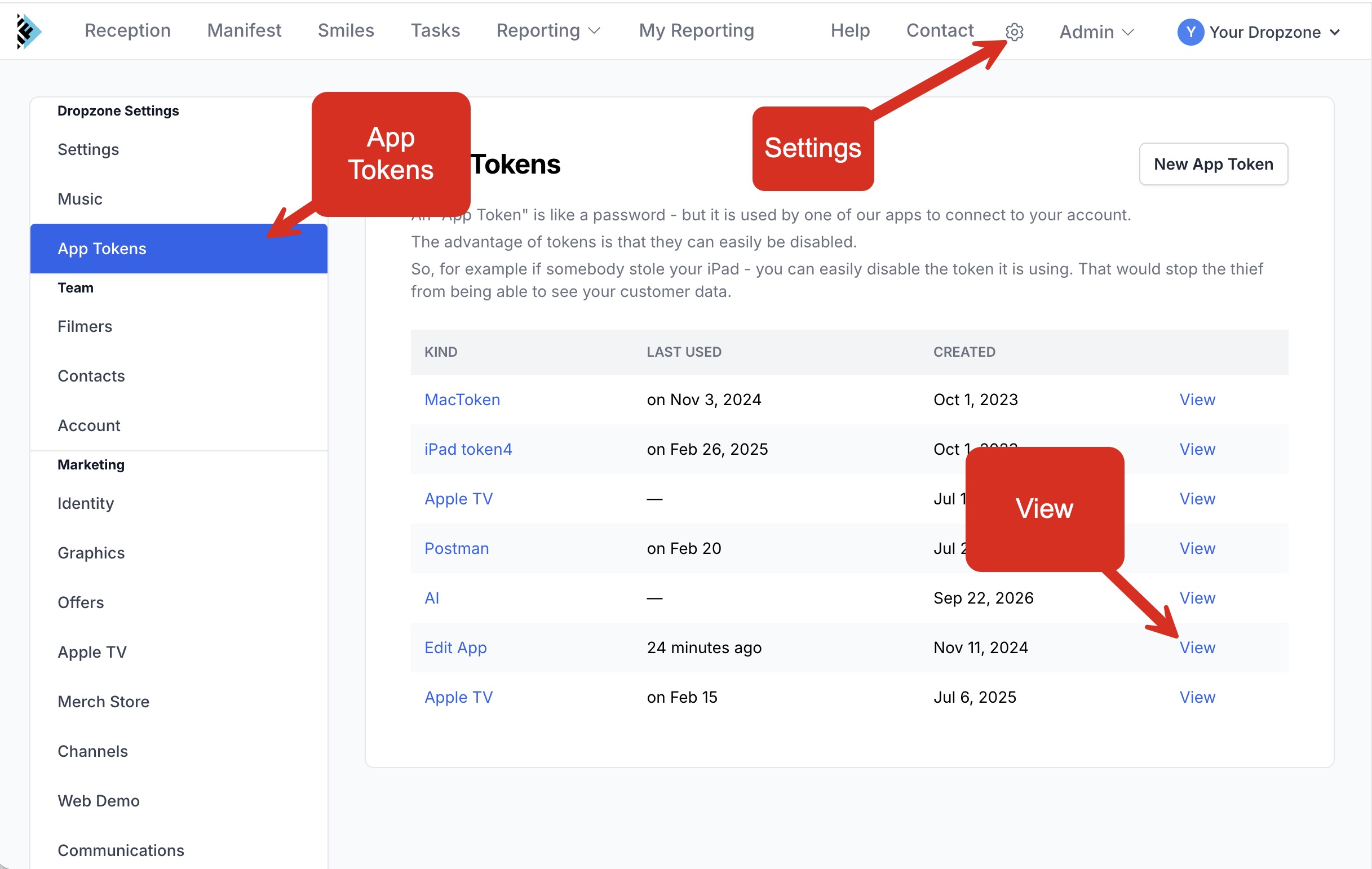
Copy the token (the copy button next to the numbers), and type or paste it into the Edit App where it asks you to Please Log In
.
That's it!

Now move on to the next article...