Direct USB Imports
Plug in your GoPro - No SD Fiddling
You can plug your GoPro directly into your computer and import files.
This uses the MTP file protocol. To talk directly to the GoPro.
It's slower than reading files from an SD card, but it avoids the need to eject and reinsert your card.
We can start analysing files as soon as the first one is imported, so the overall speed loss is probably pretty small.
Your files will be deleted after they are imported (once a complete import phase succeeds)
To use - ensure that your GoPro is set to use MTP for the USB connection (this is normally the default)
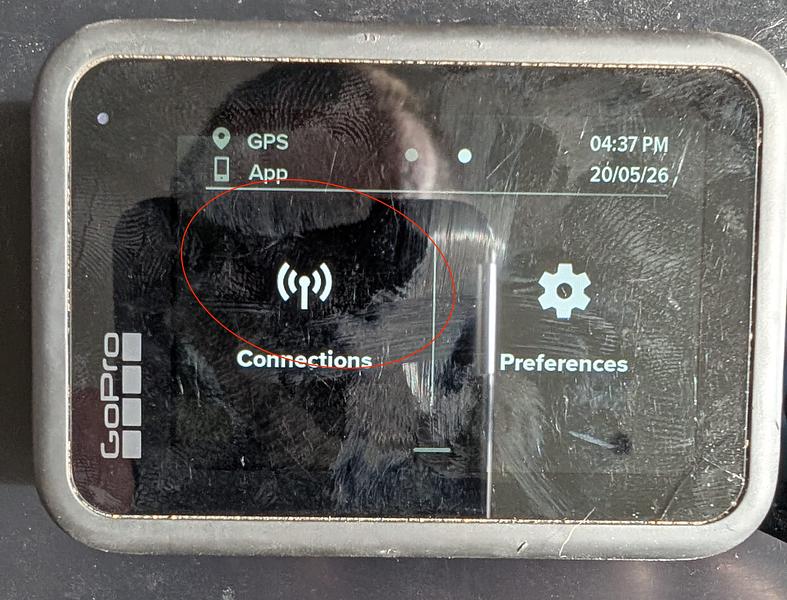
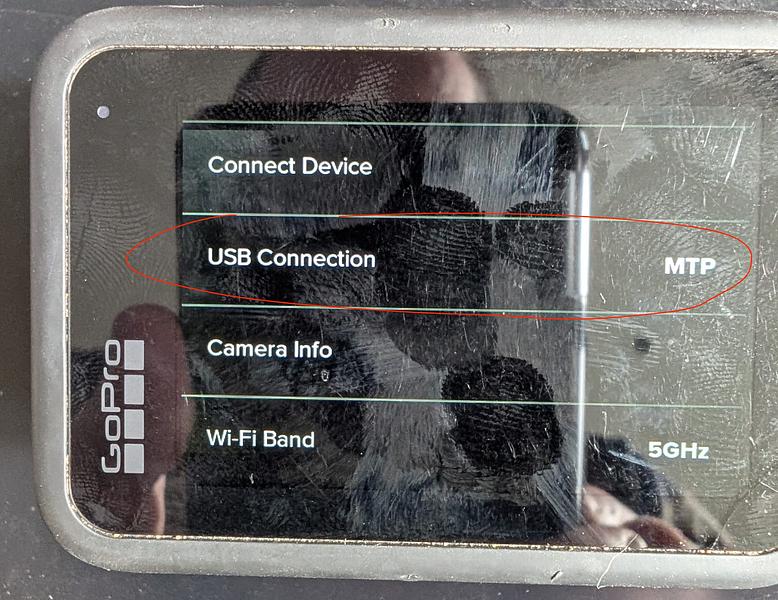
Then simply plug in the GoPro with a USB-C cable and turn it on.
(the power button - not the 'start filming' button)
NB: FreeFallFilms is currently configured to recognise GoPros 9-13. if you have a different GoPro (11 mini?) then it may not currently be recognised.
Please get in touch with Rob after connecting so that he can check the identifiers and we can test it.