Process Overview
FreeFallFilms is designed to deliver videos and photos to your customers quickly, with minimal input and effort from you
By delivering videos while your customer is still on a high, we can delight them, and maximise the chance that they share with their friends
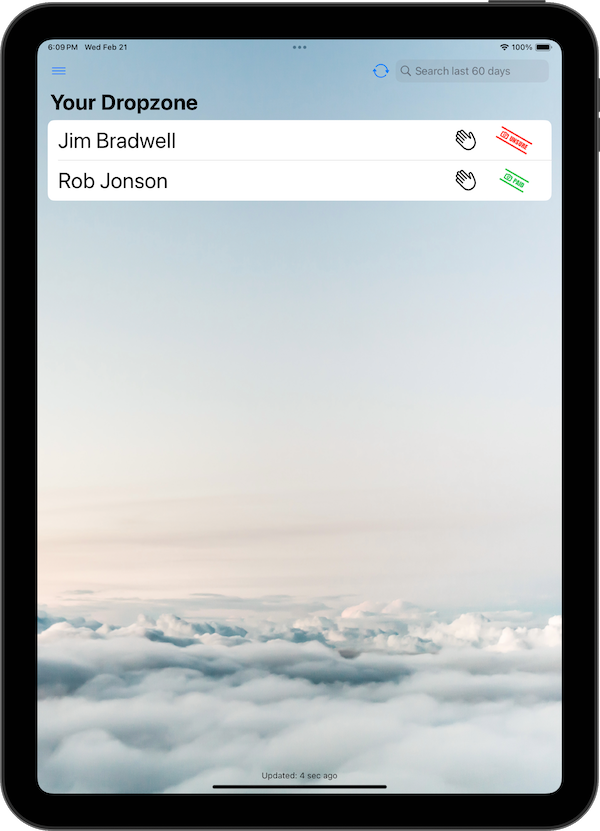
1) Check your Customer's Details
- Find your customer on the iPad.
- This is a great chance for them to check that their email address is correct
2) Set yourself as the Filmer
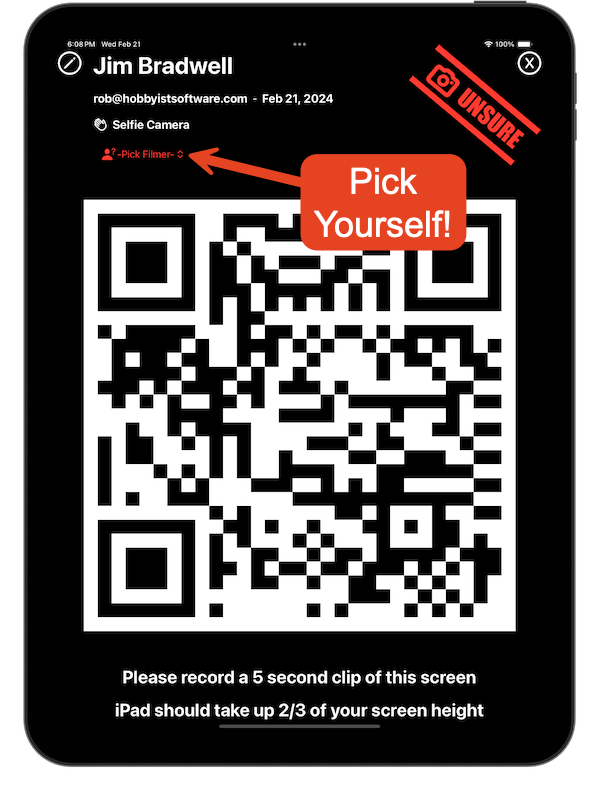
- Click to view the details, Select your name as the Filmer
- This makes sure you get paid!
3) Film the QR code
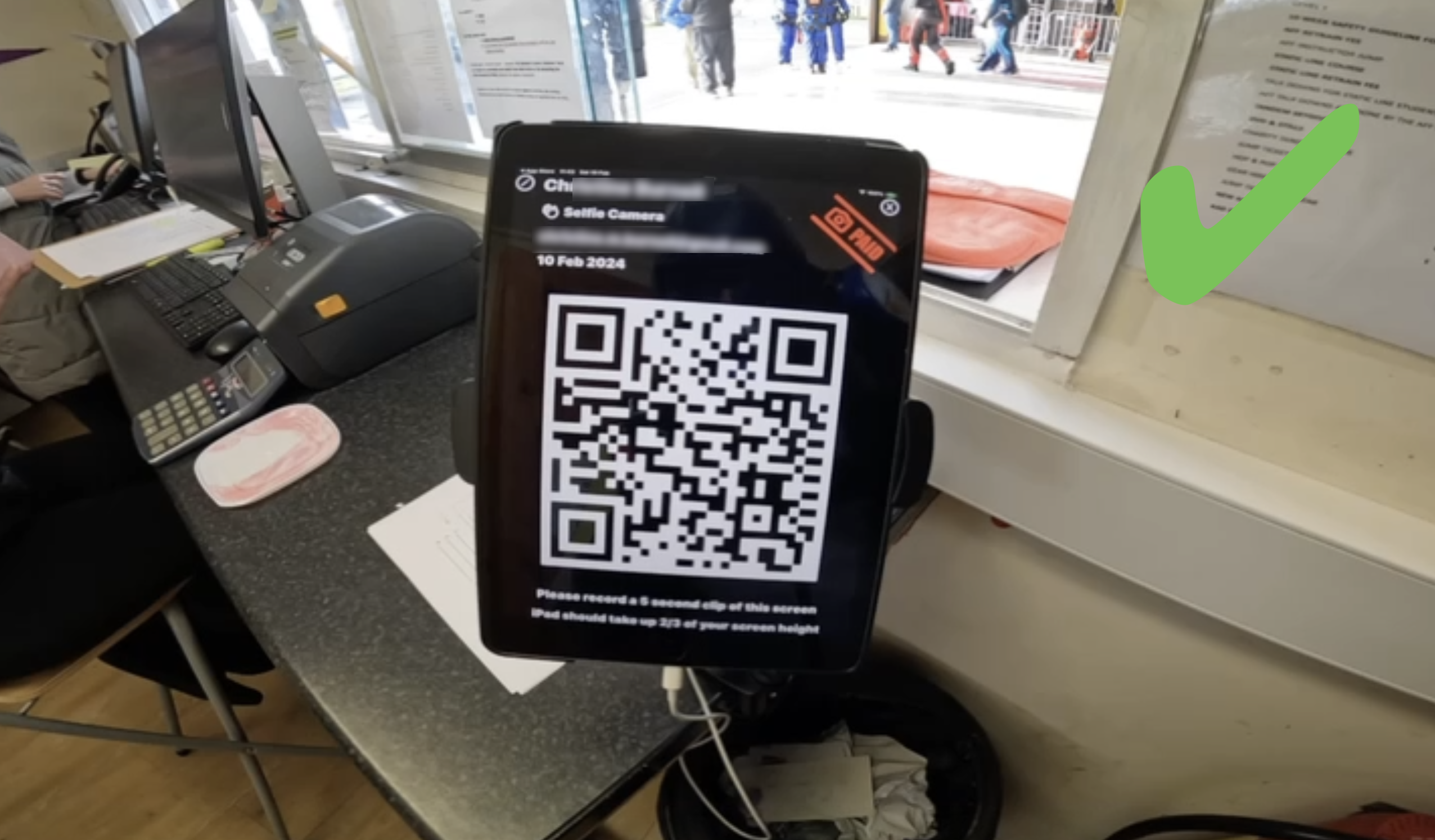
- Record a 5 second clip of the QR code
- Film from approximately 30-40cm so that the QR code takes up about 2/3 of your screen height.
- Avoid bright reflections on the iPad as these can make the QR code unreadable
- Filmed the wrong QR code? See Wrong QR Code
4) Film the Skydive
Follow the Videographer Storyboard
Video: What to Film
5) Download your Footage
- After each jump, insert your MicroSD card into the Mac.
- FreeFallFilms will autmatically download your footage
- Wait until the import has completed before removing your card.
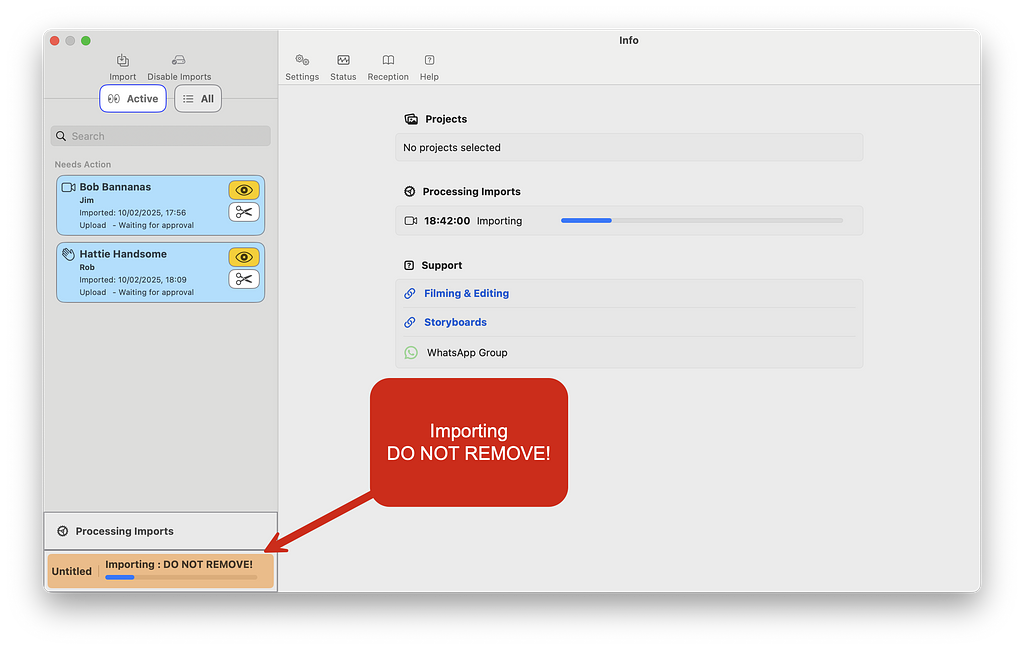
Don't remove your card while it is importing!
6) Review / Edit the Jump
Once FreeFallFilms has processed the clips into edits and photographs, you can review the result, or resolve any issues
Videos:
- Reviewing an Edit
- Manual Editing Level 1 — when something needs fixing
- Social Media – Favourites — flag your best jumps while you review
Back to Step 1 with your next customer :)
Of course, if you encounter any problems, or are unclear about anything, then please contact us for help